Email Setup
|
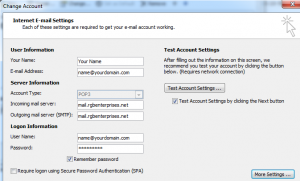
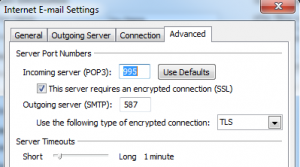
We recommend configuring your email clients to use encryption for your safety. This example show how to configure an Outlook client with encryption enabled. Enter your full email address for the User Name.
|
|
|
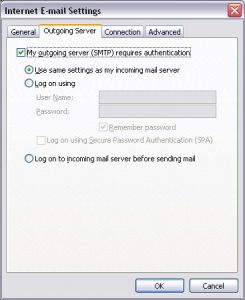
Outlook account settings 1. Got to Account Settings 4. After making these changes, click the More Settings button, select the Outgoing Server tab: 5. Under the Advanced tab set these settings to allow encrypted communication: |
|
|
|
|
|
Notes: 1. Incoming and Outgoing mail servers should be mail.rgbenterprises.net |
|